Quickly access your TextYess conversations, orders, and revenue by adding it to your smartphone’s home screen. Here’s how:Documentation Index
Fetch the complete documentation index at: https://docs.textyess.com/llms.txt
Use this file to discover all available pages before exploring further.
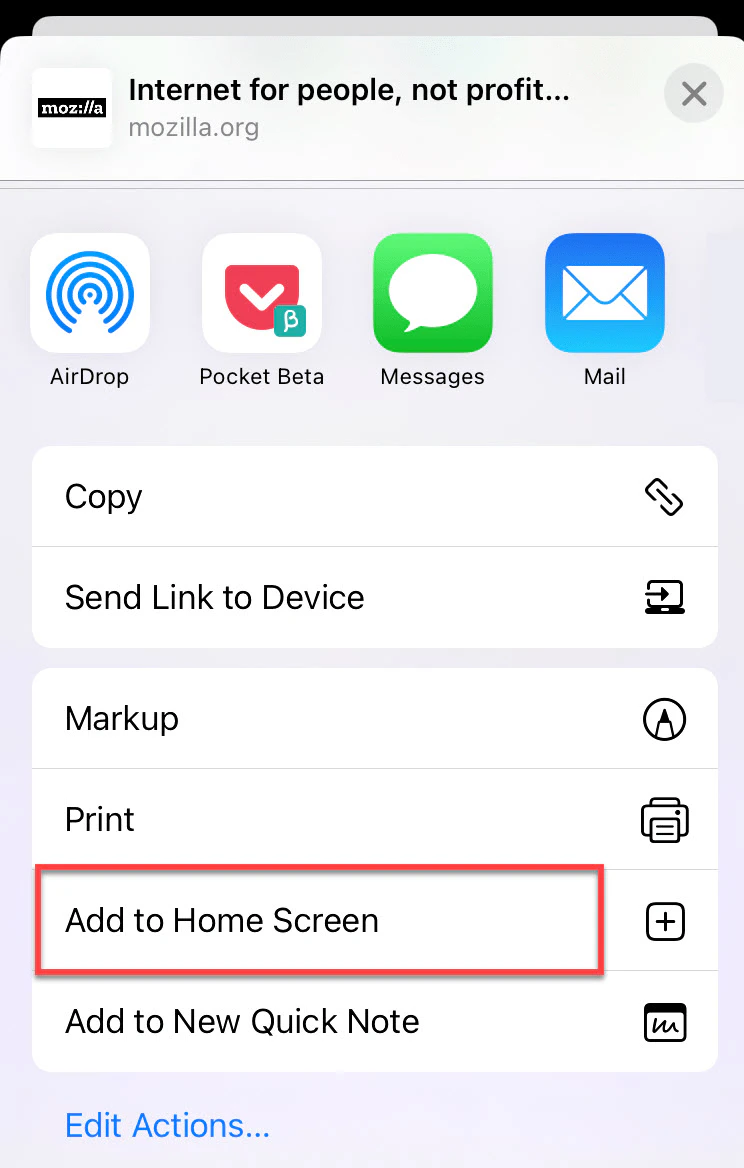
For iPhone Users
- Step 1: Open Safari and navigate to the TextYess app.
- Step 2: Tap the share button, then choose “Add to Home Screen”.
- Step 3: If needed, use “Edit Shares” to find this option.
-
Step 4: Rename if desired and tap “Add”.
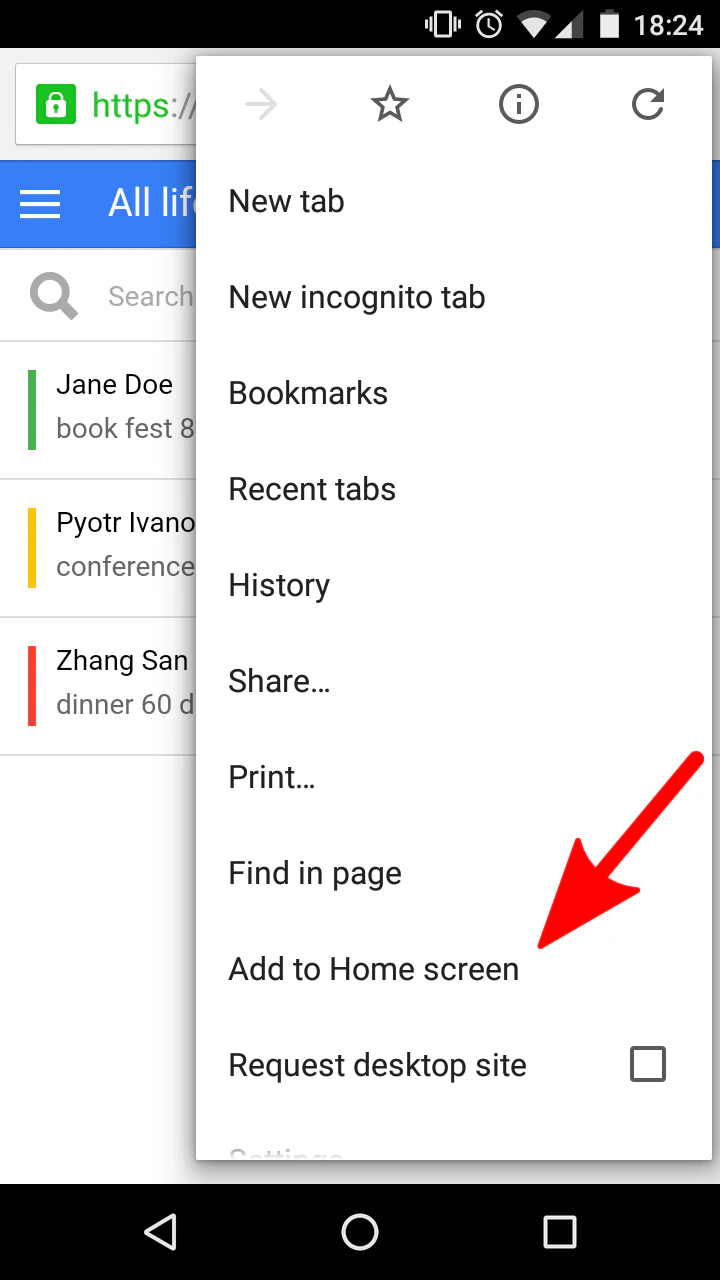
For Android Users
- Step 1: Use any browser (e.g., Google Chrome) to visit the TextYess site.
- Step 2: Tap the menu (three dots), select “Add to Home Screen”.
-
Step 3: Rename as desired, then tap “Add.”