Documentation Index
Fetch the complete documentation index at: https://docs.textyess.com/llms.txt
Use this file to discover all available pages before exploring further.
In order to complete your unsubscription process, you should do an important action: delete your phone number on which you installed our AI-Assistant (or the number we provided you with) from your Facebook Business Manager.
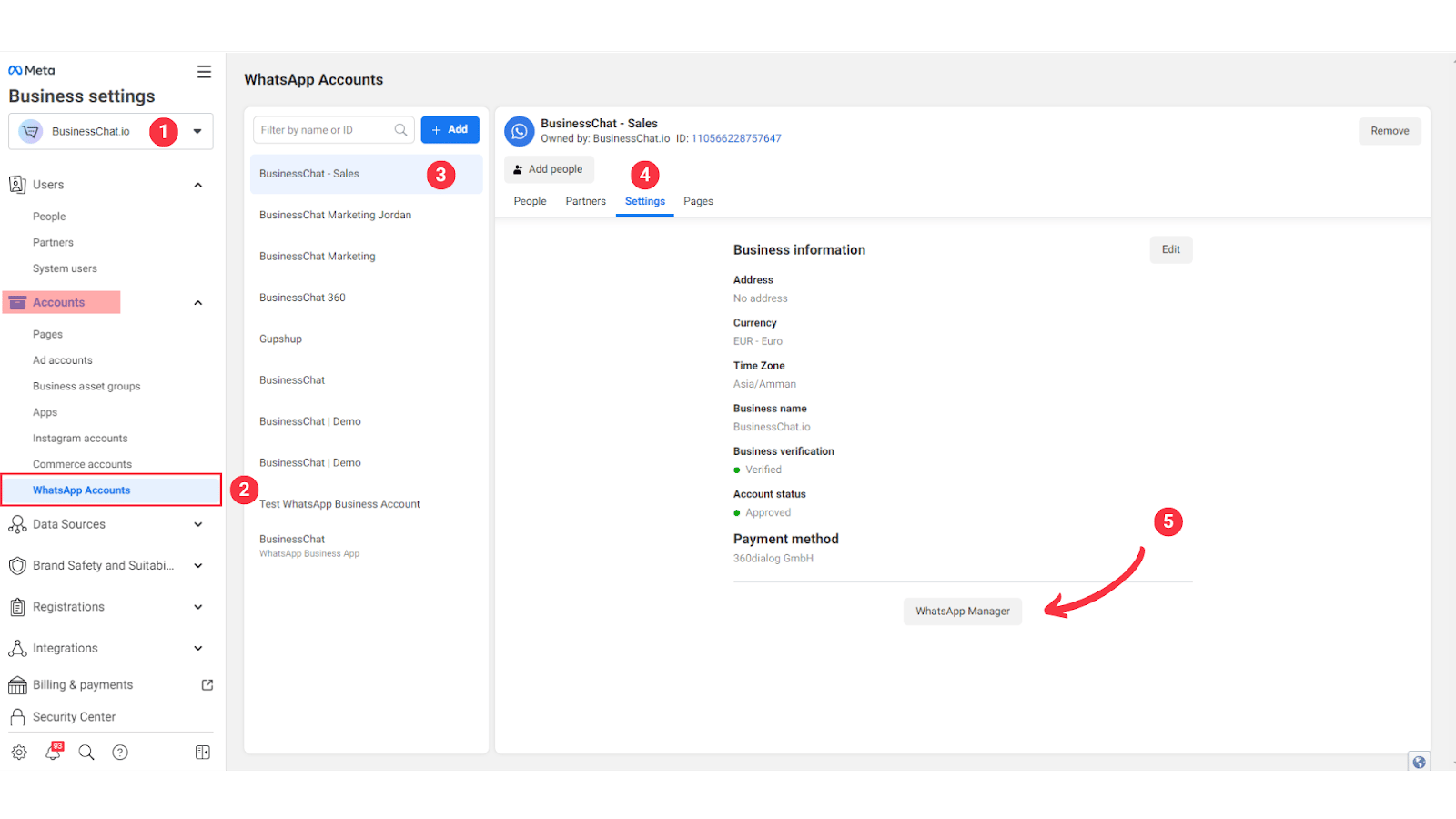
Go to your Business Settings Page
Choose the Facebook Business account (1)
Click on WhatsApp Accounts (2) under the Accounts section
Choose the WhatsApp account (3)
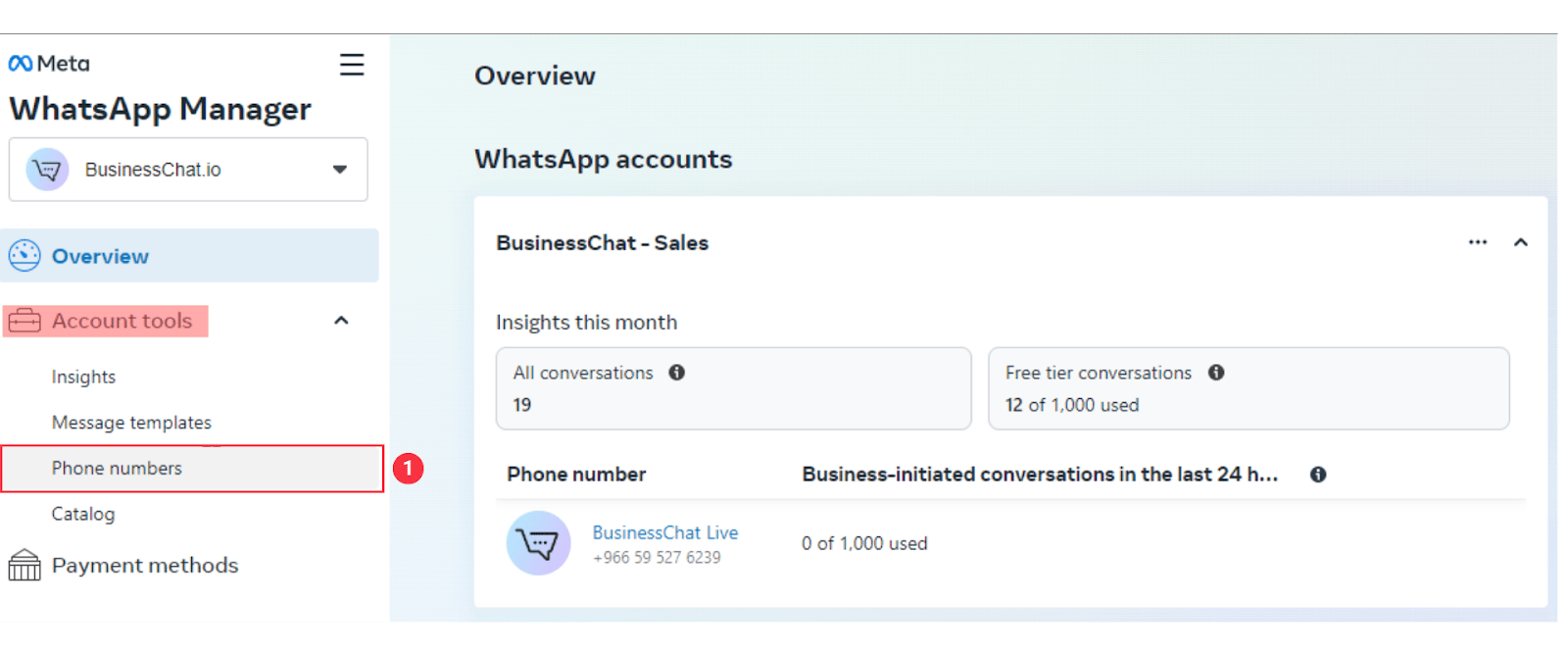
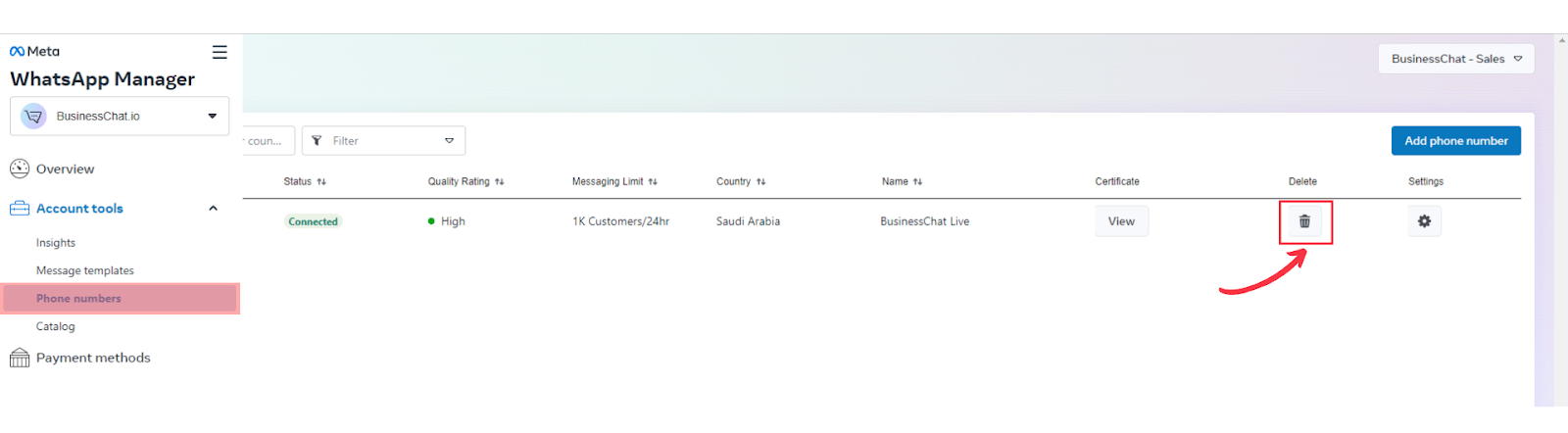
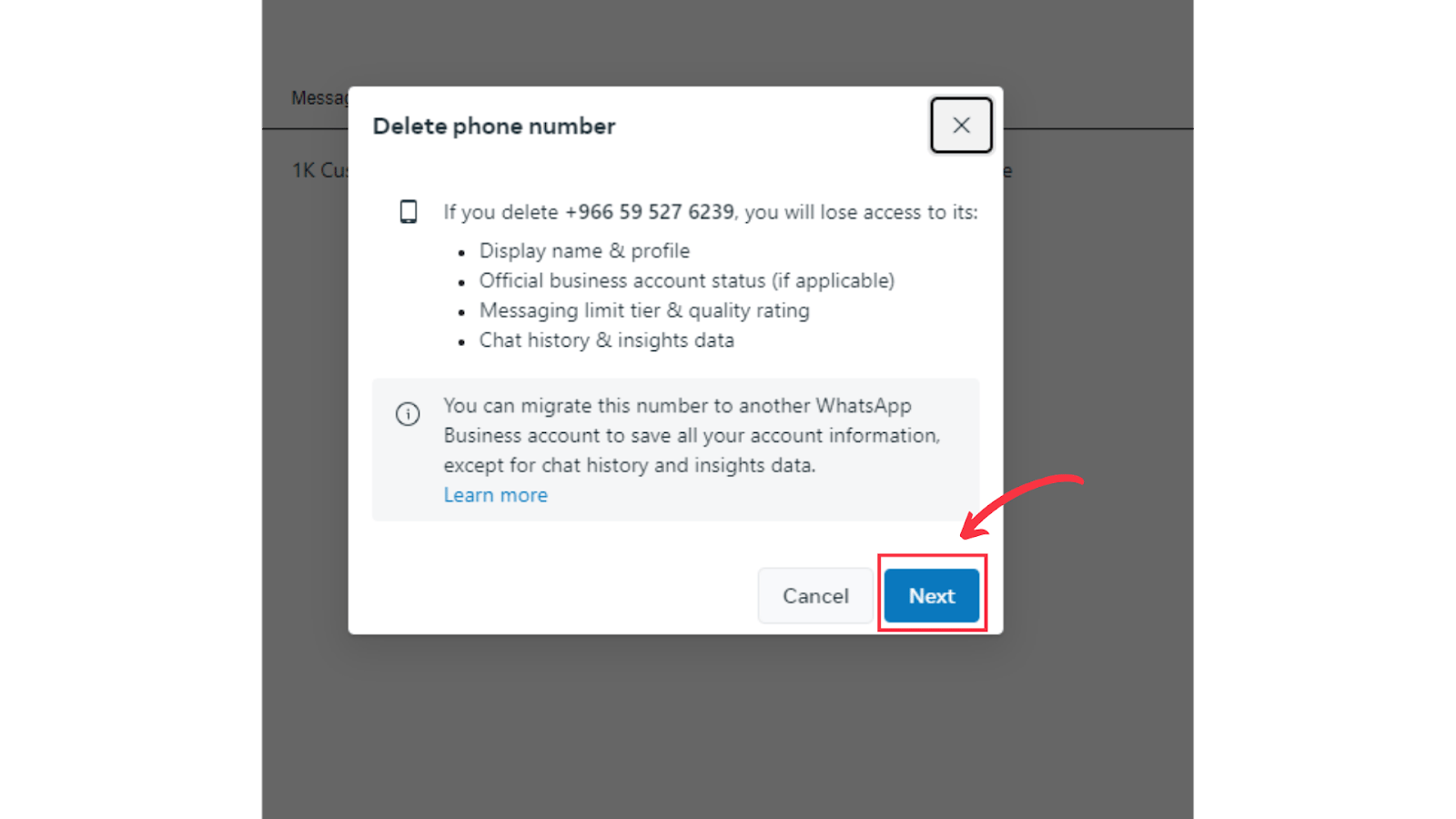
Select Settings (4) then WhatsApp Manager (5) Click on Phone Numbers (1) under Account Tools Press the Delete icon next to the phone number you want to delete. Then click on Next⚡Attention:
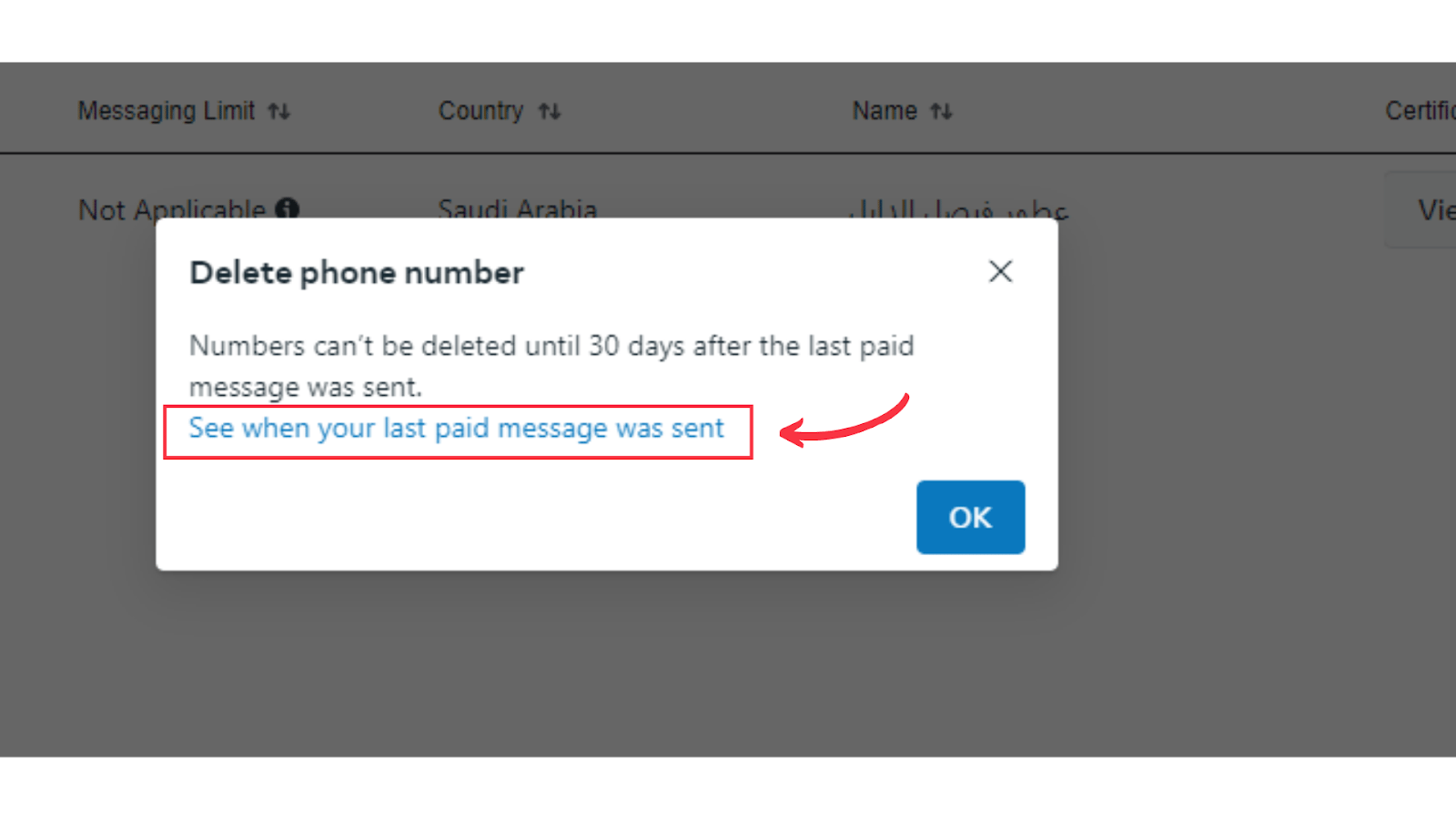
If you got this warning, it means you sent a paid message in the last 30 days.
To avoid deletion issues, avoid sending paid message for the next 30 days. Click
to See when your last paid message was sent.